

On-device processing
Detection runs on your device using Vision and on-device text scanning. Redaction is applied locally.
Redact sensitive information from images with ease and confidence.
On iPhone, iPad, and Mac, Kage can suggest redactions for faces, barcodes, phone numbers, emails, addresses, and more with Vision and on-device text scanning. Reviewable, editable, and never sent anywhere.
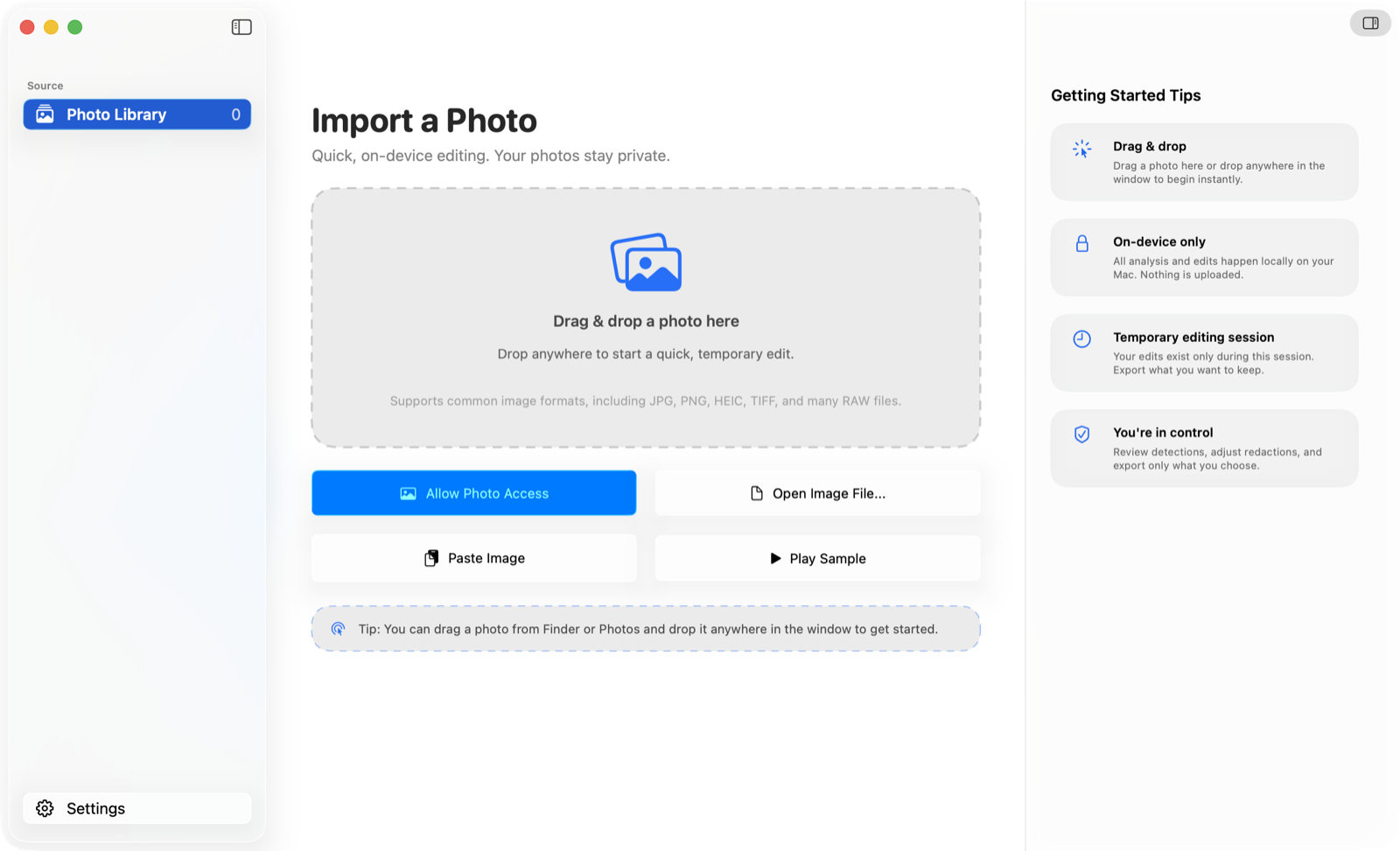
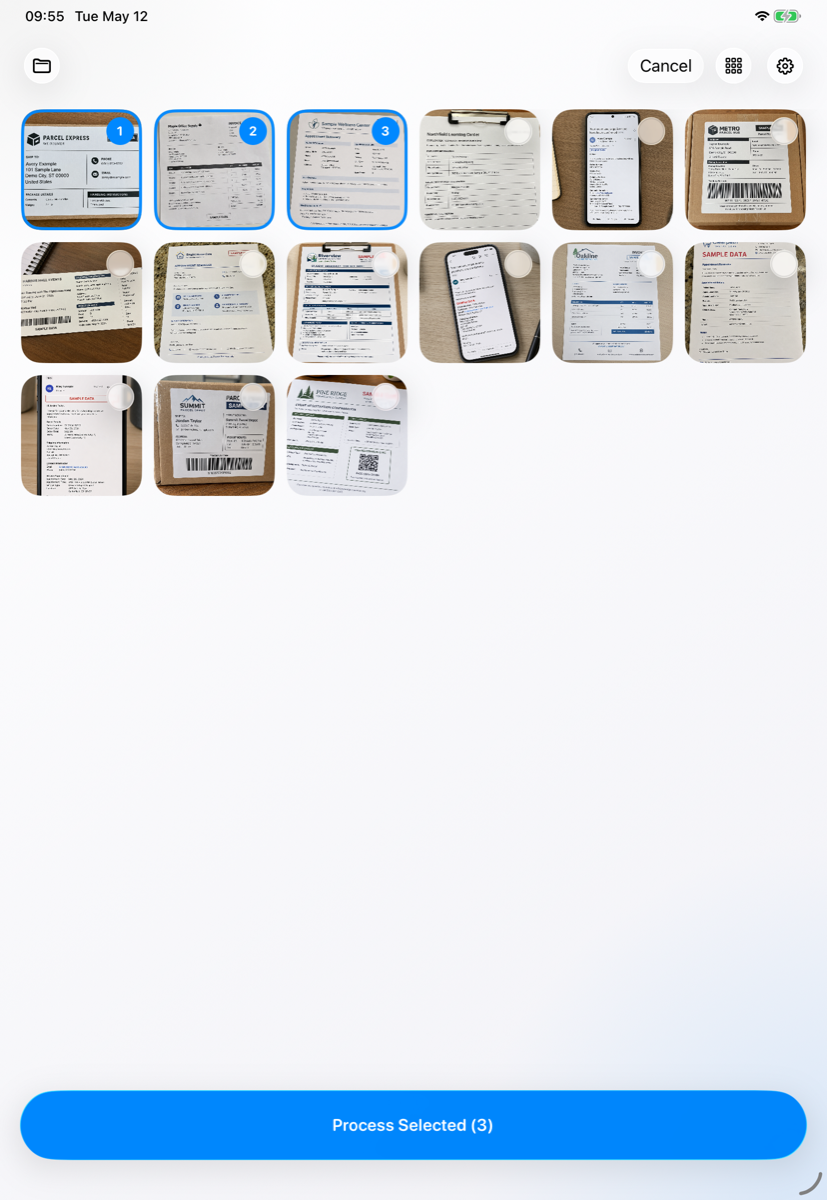
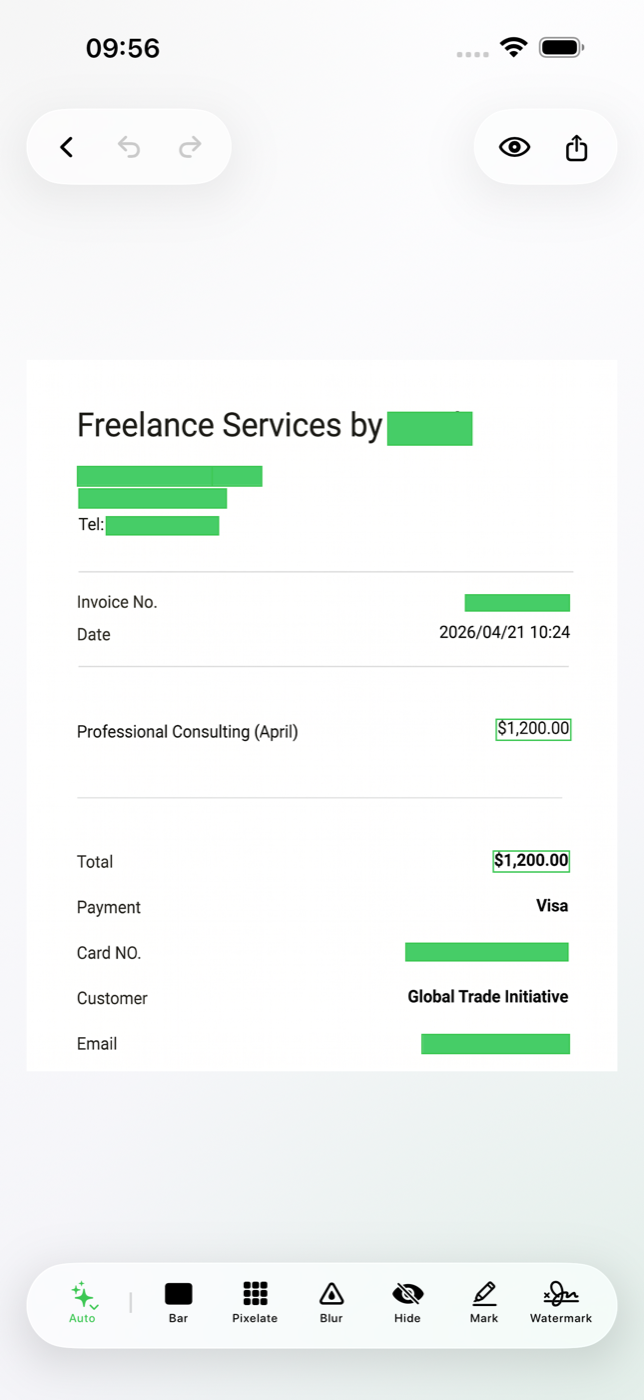
Detection runs on your device using Vision and on-device text scanning. Redaction is applied locally.
Kage does not collect or share your photos, analytics, crash reports, or debug logs.
Location, camera, and timestamp metadata is stripped from exports unless you opt in.
Apple platforms
The same private image-redaction workflow stays on device across supported Apple platforms.
How it works
Choose from Photos or Files, then review one image or a selected set of photos.
Kage uses Vision and on-device text scanning to suggest faces, codes, numbers, emails, links, and other sensitive content.
Accept the suggestions, adjust regions, or paint your own with Bar, Pixelate, Blur, Hide, Mark, or Emoji Mask.
Save back to your library, share, or replace the original. Metadata is removed by default.
Detection
All detection runs on your device. Suggestions are reviewable, and you decide what gets redacted before export.
Manual tools
Apply suggested redactions in one tap.
Solid black bars for the cleanest cover.
Mosaic blocks that obscure detail while preserving shape.
Gaussian blur for soft, natural redaction.
Match the surrounding background to make a region disappear.
Highlighter-style marks to draw attention rather than hide.
Cover faces or text with a chosen emoji.
Add a discreet watermark to shared images.
Built for the way you work
Bring in several photos at once and step through them with the same tools and decisions.
Switch between compact and expanded grids to scan large sets quickly before you commit.
Start from Photos or Files, then keep the same review and redaction flow through export.
Privacy
Kage does not collect or share your personal data, including photos, analytics, crash reports, or debug logs. Your photos are processed on your device. If you enable EXIF location maps, Apple Maps may load map tiles for the location already embedded in your photo.